Marketing automation (MA) tools are critical to any marketer’s workflow. These tools allow marketers to be more flexible with your tasks and more prudent with your decisions. Automation helps with the planning, execution, and assessment of marketing campaigns.
With marketing automation, it is easier and faster for companies to move forward. 80% of MA users have reported increased number of leads while 77% have increased conversion rates. Companies who used marketing automation experienced an increase in revenue after a year.
Though most marketers use marketing automation, only a few are taking advantage of the most advanced techniques.
Here are five advanced MA techniques you should start using right now:
Lead scoring
This technique is not so popular with marketers because it requires a lot of work and modification. But once you get the hang of it, the results will be worth it.
In this technique, you will rank your prospects by a scoring system. The scores of the prospects will guide the sales team on who to prioritize and who needs more lead nurturing.
To do this, you need to work with your sales team and decide what you want your prospects to do on your website. You will then assign which activities will have merits and demerits. For example:
Opened catalogue= 30 points Opened blog page = 5 points Opened employment page= – 30 points
Every time your prospects visit any of your pages, their points will be merited to their score. Certain pages have negative bearing because visiting those pages signifies that they aren’t interested in buying. Once they reach a target sum of points, say 100, it means they might be ready to transact with you.
Date-based automation
Marketing automation based on dates will help you engage with your prospects all-year-round. A basic date-based automation practice is a birthday greeting on your subscriber’s birthday. But it doesn’t have to end there. You can reach out to your prospects on other occasions like Christmas, New Year, and other annual events too.
Facebook does this well with their “memories” and “friendversary” concept. You can follow the same concept by reminding and thanking your subscribers on the anniversary of their purchase.
A/B Testing Automation
Assessment through A/B testing should be continuous and integrated with your marketing process. This will ensure that your campaign is always at the best it can possibly be. You don’t have to do the step by step process of A/B testing anymore because it can now be automated too.
Advanced Segmentation
Highly personalize your marketing campaign with advanced segmentation. You can divide your segments further through the following:
Based on referrer site
Based on location
Based on content opened
Based on their phase on the customer’s journey
Based on their engagement
Based on the device they are using
Based on their interest
Education Automation
In this information age, the company that educates its prospects the most wins. Providing useful and relevant content to each of your subscribers is challenging if you do it manually. But with marketing automation, you just need to collect your content and build a system. After your contents are fixed, the automation system will be in charge of sending out the right kind of content, to the right people, at the right time!
Conclusion
Marketing automation tools provide data analytics that can help you evaluate and reevaluate your marketing campaign. It serves as your compass in directing the next steps you need to take. It also gives alarm signals if you need to change your techniques and gives you a clearer data on which of your techniques are successful.
These advanced marketing automation techniques will enhance your data gathering capabilities so you can learn about your prospects better. It allows you to deliver your marketing campaign more effectively and efficiently. Lastly, it allows you to accurately measure your marketing efforts so you can continually develop them.
Simply put, eCommerce Automation allows store owners to convert different tasks and processes within their eCommerce business into automated work. For example, it’s a good practice to update your customer information in your CRM whenever a high-value product is purchased on your e-commerce platform. Now, that is a part of the e-Commerce Automation workflow that you can set up to save you hours of manual data entry.
Be it managing your inventory, automating your bookkeeping or running email marketing campaigns, e-commerce automation is necessary at every step of your e-commerce business. As workforces evolve to focus on the more important parts of growing your business, eCommerce store owners need to automate the mundane workflows that are usually run by their employees.
Automation is key to ensuring that you aren’t lagging behind. Even platforms you use, like Shopify, Bigcommerce, and Woocommerce have strongly prioritized automation. Shopify has even built an automated app of their own, Kit, which allows Shopify store owners to automate their ads.
How to Automate for your eCommerce Business?
1. eCommerce Inventory and Sales Management
Manual inventory management is time-consuming. As a store owner, you’re sure to have dealt with hours of scrolling through your inventory list, updating prices, re-ordering products as they go out of stock, removing old inventory listings, and more.
Besides inventory, store owners also need to manage their customers, identifying and tagging them based on how they found the online store, the sales channel they purchased from, and the number of orders they’ve made, to name a few.
Customer management doesn’t stop there.
If store owners want to get ahead, they need to use this data about their customers to set up different processes— from setting up auto-discounts for their loyal customers to alerting customer support about any high-risk orders so it can be followed up before order processing.
Although it is a routine task, inventory and sales management is an important part of any store management. But, it doesn’t have to be on your plate or anyone’s task list for that matter. Set up apps that automate your inventory and sales management workflows to save time while getting your work done.
What are the Inventory & Sales Management Automations?
A few places where you can use this eCommerce automation include:
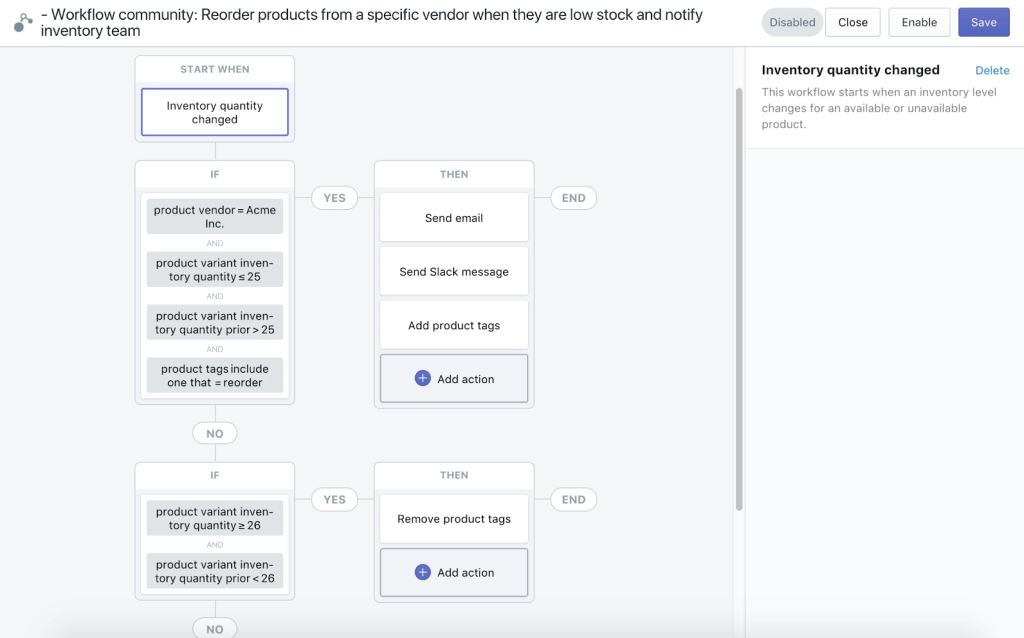
Low product stock alerts
Product inventory management
Analyze product performance
Data-based inventory decisions (like removing a product range)
How can you automate inventory and sales management?
Let us explain how this works with an example.
You can set up processes that send alerts to the Inventory Head about low product stock so that they can stock up before the item runs out on the store. You can even raise prices for low stock items to leverage the demand and smartly earn more.
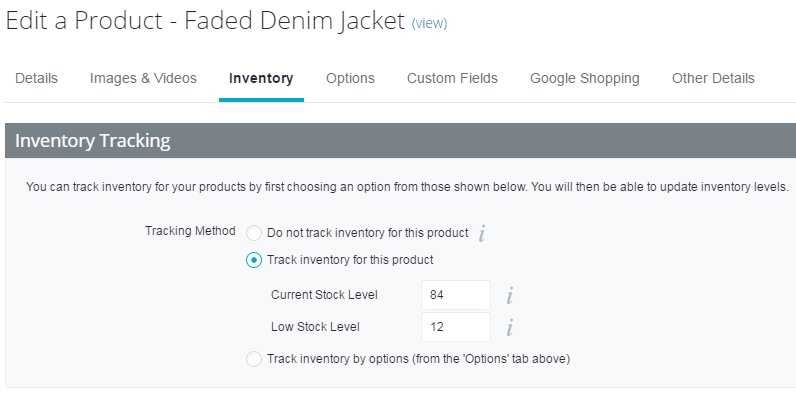
Similarly, if your store is on BigCommerce, the platform offers centralized inventory management. It helps you keep track of your stock, stay informed about low-stock products, update stock levels easily and more to keep shoppers informed. This prevents shoppers from feeling disappointed when they’re not able to bag the products they’re interested in, but at the same time, they can choose to be notified of when they’re back in stock.
The platform offers easy inventory and order management by integrating with different tools like Inventory Planner.
2. eCommerce Email Marketing Automation
Email marketing is as old a marketing tactic as it is effective. With an ROI of 4400%, email marketing is on every eCommerce store owner’s radar. As shoppers evolve in the way they shop and as ads and promotional content get more specific to the shoppers, generic emails aren’t going to cut it.
Your email marketing needs to be highly personalized and relevant to the shopper it is sent to. The best way to send emails that are tailored to each shopper is with eCommerce automation.
According to eMarketer, B2C marketers who leverage automation have seen conversion rates as high as 50%. Top online stores leverage automated emails to set up email campaigns for different requirements based on customer triggers and behaviors. Some of these email campaigns include welcoming new shoppers (check here for the best welcome emails), reminding shoppers about their abandoned carts, recommending and cross-selling products to them, to name a few.
With automated emails, you can send messages that are sure to bring clicks and revenue. For instance, as a store owner, you can set up cart abandoned emails that are sent to the shopper based on the product(s) left in their cart. The email will show the customer the image of the product, helping with recall. You can even send discounts to carts that include high-ticket items in the cart, boosting conversions.
What can you achieve with Email Marketing Automation?
With email automation, you don’t have to worry about whether you can personalize for each of your shoppers. Instead, you can spend more time understanding shopper behavior and strategize the copy within these emails to increase your conversions.
A few use cases of email eCommerce automation include:
Recover abandoned carts
Upsell and cross-sell products
Recommend products
Promote referral programs
Boost customer loyalty with engagement
3. Customer Support Management
To ensure that your customers have a great shopping experience from your store, you need to have a stellar customer support system. American Express reported that consumers are willing to spend 17% more on a company that has outstanding customer service. Your customer support can make or break the success and growth of your eCommerce store.
But, it’s not easy to keep track of every aspect of your customer support management. From recording any tickets raised, managing them, making changes to following up with the customer, customer support needs a great system for it to work efficiently.
For instance, a customer is having difficulty with one of your product pages that allows customization to the product. For this, you need to contact your developer to fix it.
If you’re dealing with a lot of customer requests on that day, you may end up missing out on the request or getting back to the customer a few days late. By this time, you’ve lost the customer.
How can you avoid this? You can start by setting up a workflow that integrates your favorite customer support management apps and automates a part of your customer support process.
What can you automate in customer support management?
A few use cases of this eCommerce automation include:
Offer shopping assistance
Reduce and recover abandoned carts
Upsell products
Cross-sell product ranges
Make product recommendations
4. Payment & Bookkeeping Automation
Finance and payment management is everyone’s least favorite part of managing a business. When running an eCommerce store, finance is even more time-consuming as compared to other businesses. From managing payments for employees to paying for apps and platforms used to paying manufacturing costs and keeping track of the payments made by customers, manual bookkeeping is a nightmare.
Use payment software like PayPal, Stripe, and FreshBooks to keep all your accounts digital and avoid having a folder full of receipts. Integrate all your finance requirements, providing automated solutions for accounting, billing, and invoicing.
5. Product Pricing Automation
Pricing every product on your online store is no small feat. If you’re doing this task manually, you need to cross-check with large platforms like Amazon to check their average prices, analyze your competitor’s pricing, and even take into account your manufacturing costs, taxes, and customer demand.
Updating your product pricing needs to be done routinely to ensure you are efficiently making the most of the changing market. But, it’s tough to keep track of such a time-consuming task. This is especially true for store owners who have a large product list.
6. Social Media Campaign Management
Social media platforms are one of the best ways to communicate with your shoppers and create strong relationships with them. Facebook, Instagram, Twitter, Pinterest— these platforms allow store owners to engage with their shoppers in many different ways and capture different kinds of shoppers.
Typically, eCommerce stores create organic posts on social media to keep their existing audience engaged while also running paid campaigns to bring new, relevant audiences to their social media accounts and ultimately, their online store.
If you don’t have intelligent software to manage social media, you would be spending a lot of time going between social media platforms to schedule and send out messages on each channel.
What’s more, after posting, you may be having trouble handling data from both your organic and paid efforts across multiple social media channels. Cross-referencing this data and pooling it together to get an overview of your shopper behavior might also be tedious.
What can you do with social media eCommerce automation?
With eCommerce automation for social media in place, you can:
Promote flash sales
Recover abandoned carts
Retarget store visitors
Conclusion
We hope these automated workflows help you set up processes that drive more impact with less effort on your part.
Whether you’re thinking of setting up automation for marketing or for your inventory, don’t take a one-size-fits-all approach to your automated workflows. Instead, work on tailoring your automations to the kind of shoppers you receive.
Customizing your eCommerce automations is similar to how you personalize a customer’s journey with the brand. It might take you some time but with ecommerce automation tools this can resolve easily.
Ready to earn more revenue for your store with eCommerce automation? Get started with Automate.io and let your apps talk to each other!
Marketing automation refers to software platforms and technologies designed for marketing departments and organizations to more effectively market on multiple channels online (such as email, social media, websites, etc.) and automate repetitive tasks.
The marketing automation industry has skyrocketed from a $500m market to an expected $6.4bn in 2024. According to Salesforce’s State of Marketing Report, 67% of marketing leaders are already using at least one marketing automation platform and a further 21% planned to start using one.
List of best marketing software
1. HubSpot
HubSpot marketing automation software is a powerful suite of tools that help you turn visitors into leads. You’ll get lead flows, forms, kickback emails, analytics, and more — all designed to make it easy for you to efficiently grow your business. Capture leads, learn who they are and what they’re interested in, and optimize your marketing based on data, not guesswork. Sign up for free, get started in minutes, and start growing your business today with HubSpot marketing automation software.
2. Omnisend
Omnisend is an all-in-one omnichannel marketing automation platform built for growth-focused ecommerce brands. Automate your marketing processes by bringing your channels under one easy-to-use roof, and earn more revenue with sophisticated automation workflows that recover potentially lost sales with hyper targeted and personalized messaging. Omnisend works with all ecommerce platforms including Shopify, Bigcommerce, Magento, WooCommerce and many more.
3. EventBank
Plan, promote, and execute one or hundreds of events, large and small, efficiently from start to finish. Join companies like Deloitte or Facebook, and drive revenue, save time and increase ROI with a full suite of high-performance tools that streamline operations and maximize engagement. Keep data synchronized in a central location and leverage it to establish lasting relationships. What’s more, Event Management Software includes two mobile apps: one for you and one for your attendees.
4. Bitrix
Are you looking for a free CRM with marketing automation? Consider Bitrix24. Free email marketing, email triggers, SMS, automation rules, lead capture, Facebook Lead Ads integration, Google Adwords integration, retargeting, audience segmentation and more. Google Analytics integration inside. Available in cloud and on-premise with open source code access. Used by 4 million companies worldwide.
5. SendX
SendX is an Intuitive, Affordable & Feature-rich Email Marketing Software for marketers & business owners. SendX prides itself on enabling marketers with one of the simplest UIs in the industry. SendX provides unlimited email sends with every plan, powerful automation capabilities, 24×7 live support, best of breed email deliverability. 3000+ companies worldwide trust SendX for their Email Marketing. **Start with 14 days free trial (no credit card required). **Pricing starts at $9.99/month.
6. ClickTech Solutions
Adzooma is free until at least June 1st to help our fellow businesses and freelancers. No card details required. Our automated PPC management and optimisation platform offers AI and machine learning for stress-free marketing automation. Enjoy 24/7 ad optimisation with easily actioned improvements. Save hours of analysis every week and stay informed with instant notifications. Harness up-to-the-minute data to make lightning-quick decisions, while staying in complete control of everything.
7. Moosend
With Moosend’s intelligent marketing automation and website tracking, you can exceed performance goals by doing less. Increase conversion rates with Cart Abandonment reminders, boost average order value with Upsell/Cross-sell sequences, establish brand loyalty as your competitive advantage with custom Loyalty sequences, and much more.
Conclusion
so know you a list of the best marketing automation software form which you can choose according to your companies status and work wisely.
Google Analytics allows you to access detailed information regarding your online store’s traffic and sales and give you the site of Customer Analytics
It doesn’t matter what type of business you have or what your selling, Google Analytics is a staple component of your marketing strategy that will allow you to monitor and grow online conversions.
Google Analytics can seem a bit confusing at times even for a seasoned analyst. Sometimes it’s hard to know which metrics or reports are relevant to your e-commerce store, and which ones are just fluff.
In this article, I’ll be showing nine ways to use Google Analytics for your e-commerce store to help you get started today.
If you’re new to Google Analytics or you’d like to create an account you can use this guide to help set up Google Analytics in under 15 minutes. to follow along better in this article.
1. Use Google Analytics to Track Your Marketing campaigns.
With the power of Google Analytics, you can track any of your store’s online marketing campaigns (with or without Google Adwords/AdSense).
Track which landing pages and sources of the campaigns people interact with to complete a purchase. Giving a detailed data to see which funnels are the most effective and which aren’t so you can do A/B testing.
Maybe you already have a landing page running and your not sure what to do? Why not try these 7 Step from a Conversion Playbook To Quickly Optimize Your Landing Pages to point you in the right direction.
If you have a video or youtube channel included in your campaign you can use Google Analytics to track how many people watched your video or completed a purchase because of that video.
If you’re looking for amazing landing pages to use with your market campaigns or contest to host, Wishpond provides all the tools and features you need from start to finish with an easy Google Analytics integration so you can measure your results.
You can also use Google Analytics to help you know which channels to retarget customers to bring back lost sales.
I said it before, and I’ll say it again when it comes to conversions and sales. Google Analytics is your partner in crime.
2. Use Google Analytics to Track Your Sales and Revenue
For any business owner tracking revenue and sales is important. You want to know if your meeting your financial goals or see where you’re falling short.
So how do you use Google analytics to track your website’s revenue accurately?
First, you have to ask yourself the following questions:
What are the landing pages that are getting the most conversions?
How do people arrive on these pages?
Which products represent the highest value to your customers in your store?
How do you track your online revenue?
Stop yourself from diving into endless reports, and try to answer the questions above, from there best action to take after would be to set up a goal in Google Analytics. based on your answers. Your goal can be tailored to track completed transactions, which allows you to track your landing pages and products customer make on purchases.
The second step would be to set up your Google Analytics E-commerce tracking, which we’ll get to further in this article, on your website to help you accurately track your sales. From there you can use the “Conversion” tab to view your “Goals”, “Sales Performance”, and “Transactions” reports.
3. Use Google Analytics to Track Your Website Traffic
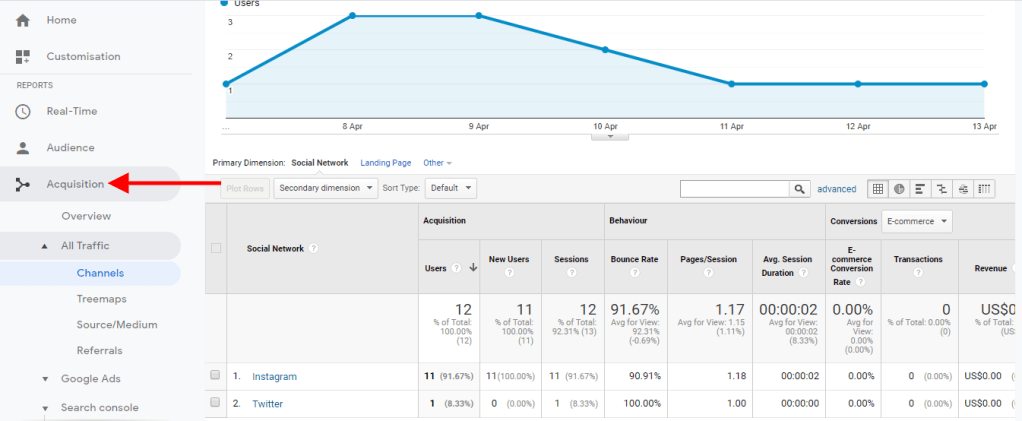
When it comes to measuring website traffic for e-commerce stores, Google Analytics is the undisputed champion. It gives detailed information on how many people have visited your online store, what pages they’ve been on, demographic details of users and various traffic sources.
You can use your Google Analytic reports learning about your website traffic sources. Google Analytics shows you can show you detailed reports on:
Organic Traffic
Referral Traffic
Social Traffic
Direct Traffic
Email Traffic
You can compare different website site traffic sources and time periods (i.e 30 days or last 7 days) to see if your website traffic is declining or increasing. This can help you to track:
Where on your site or landing pages might be affecting your sales
How well it’s performing, what links are providing the most traffic *If you need to focus heavily on link building. *Notice any pages with errors that need fixing. *Create a better sales or marketing funnel for your online store.
For example, you’re running a giveaway contest on your website, but you see more traffic coming from your email newsletter when compared to other traffic sources, which would naturally be a cause for concern.
Your website traffic reports can tell if people are having problems accessing your giveaway from other platforms or you might need to promote your giveaway as heavily as your emails to get the same results.
To view your website traffic click on the “Real-Time” tab and check each report to learn about your traffic. With it, you can understand who and where your potential customers are coming from, which brings me to my next point.
4. Use Google Analytics to Understand Your Target Audience
Use Google Analytics data to get a clear picture of who your potential customers really are.
You can leverage Google Analytics to discover the following about your website visitors:
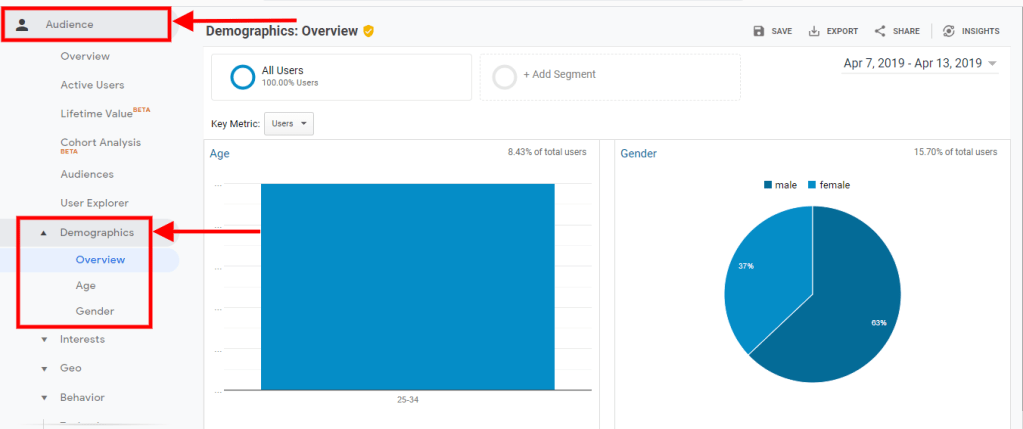
Gender
Compare data to see if your traffic is mainly made up of male or female visitors. This report can guide you to see if you’re attracting the right gender(s) to your store or how you can use it to tailor your content. You can find this report under Audience > Demographics > Gender.
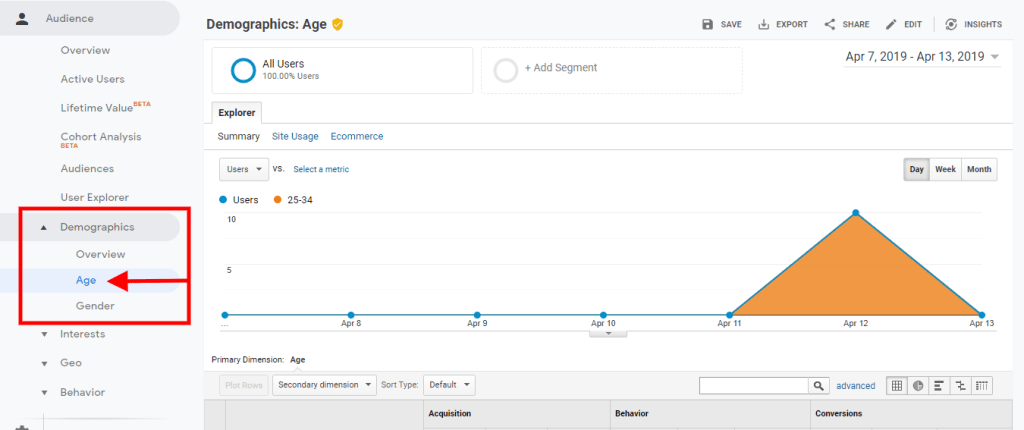
Age Range
Take a glimpse at your audience age range so you can understand which age ranges are most likely to visit your site. You can find this report under Audience > Demographics > Age.
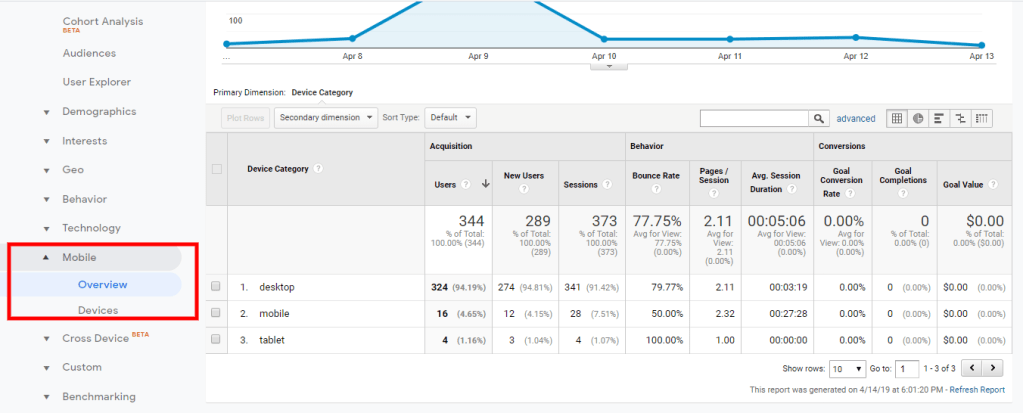
Devices
See what devices (even the OS system) your visitors are using the most to visit your store. Now more than ever online shoppers are turning to mobile devices compared to desktops. This means having a mobile-friendly store is an essential part of the buyer’s journey and capturing sales. You can find this report under Audience > Mobile > Devices
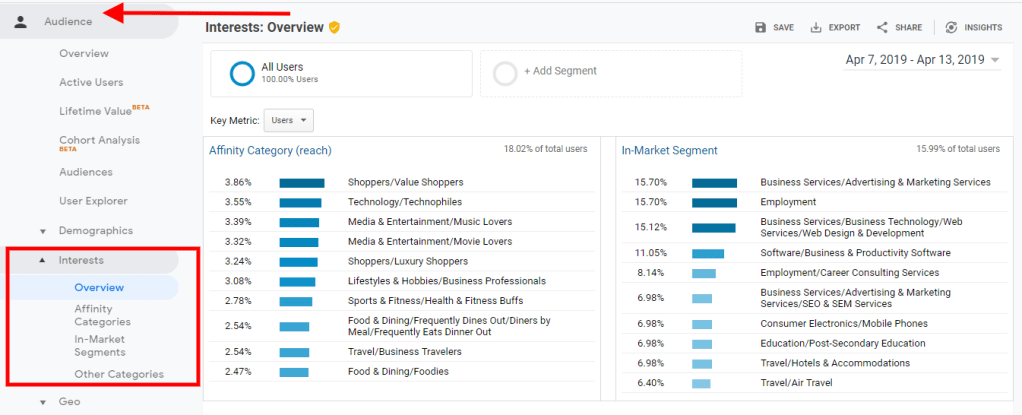
Interest Interest Reports in Google Analytics will tell you your users’ interests on other parts of the internet. This will help you identify a more specific target audience, cross or upselling opportunities, better blog content ideas.
You can find this report under Audience > Interest > Overview.
5. Use Google Analytics to Learn About Customers Shopping Behavior.
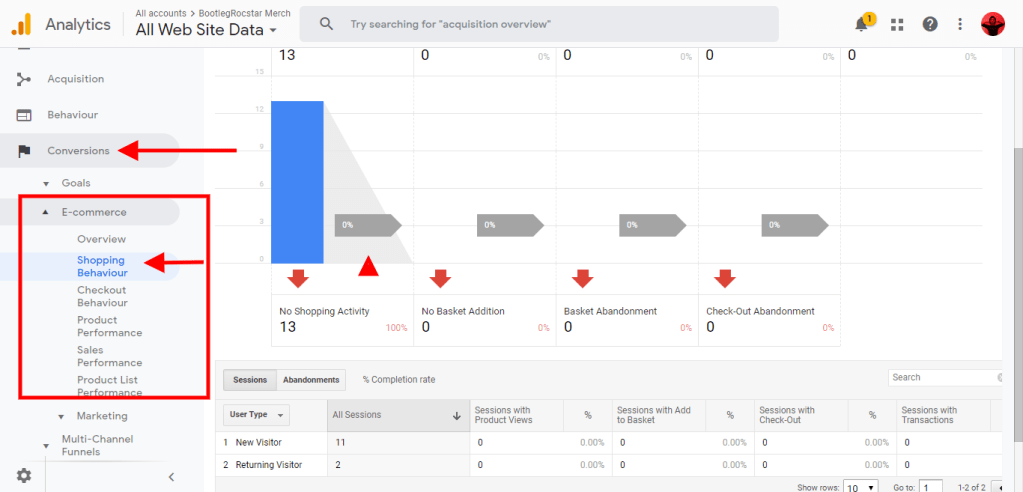
If you’re not satisfied with the demographics basics, you can learn more about your customers by taking a look at their shopping behaviour. Learn about the type of products they view, click on, and add to cart all while tracking checkouts and transactions.
To find this report go to Conversions > E-commerce> Shopping Behaviour.
Use the “Shopping Behaviour” report and the Behaviour tab in Google Analytics to understand your buyer’s journey for both new and returning customers on your site.
You’ll only see this report if you enabled your E-commerce setting for your Google Analytics. From there you can find it with Conversions > E-commerce > Shopping Behaviour.
6. Use Google Analytics for Specialized SEO & Keyword Search
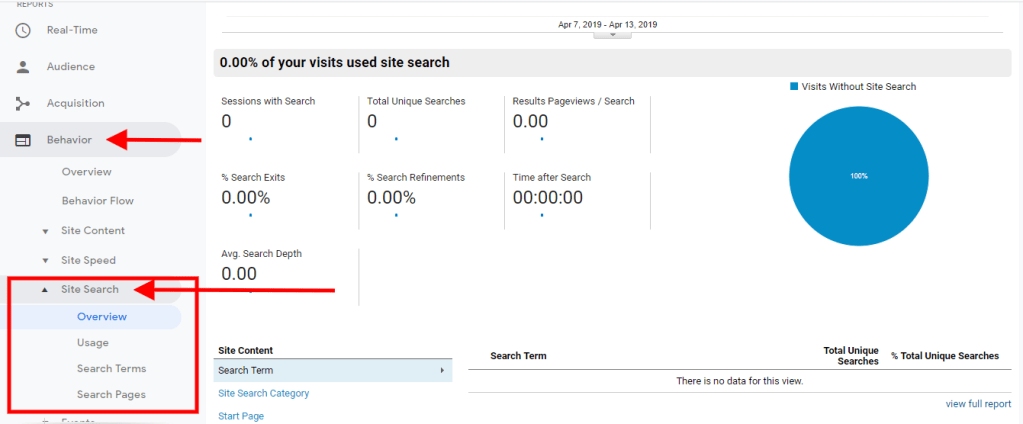
The Google Analytics “Site Search” report gives an overview of the terms, keywords and pages customers are searching for the most on your website.
Instead of relying heavily on Google Keyword Search you can get insight from visitors coming to your page. Site Search helps you to optimize your website so that you can rank higher in search for topics, features or products that customers are actually looking for.
To find this report go to Behaviour > Site Search.
Combine your “Interest” report from the Audience tab, and your “Search Site” report as an excellent way to gather the right keywords and phrases to optimize your e-commerce stores specifically for future customers.
7. Use Google Analytics to Track Shopping Cart Abandonment
Shopping cart abandonment is a problem for all e-commerce sites, big and small. It’s been estimated over the past nine years that more than $260 billion in sales were recoverable through better checkout systems.
Studies show that almost 70% of online purchases are left unfinished. And if you’re not taking this number seriously, chances are, you’re losing more money than you thought.
Using Google Analytics to track your online store’s shopping cart abandonment can help you to catch the problem before it becomes worse.
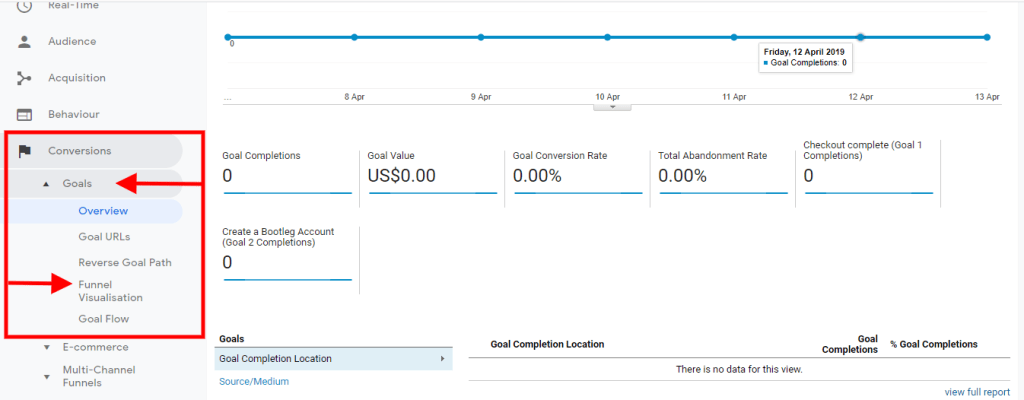
To track your shopping cart abandonment with Google Analytics, first, you’d need to create a Google Analytics Goal, where a visitor needs to complete an order/purchase. If you’ve just created your goal for the first time, you’ll need to give GA some time to populate the report first.
After that you can view reports like “Goals” and “Funnel Visualization” in the “Conversion” tabs to track which pages customers fall off short.
8. Use Google Analytics with Google AdWords & AdSense for Better Ads
Linking you’re Google Analytics account with your AdWords accounts allows you to access powerful information to create PPC campaigns and Google Ads that convert. Because the data from Google Analytics data is specialized to your online store, you can find keywords that result in better conversions.
Combined this with your AdSense account, you can find useful data results including the ability to view your online store’s earnings based on how many users visits you have/ or had instead of relying on page impressions.
If your interested in seeing it in action you can use this guide to Link AdSense with Google Analytics to Track Earnings Per Page, it’s pretty easy to do.
Personalized SMS campaigns can help your marketing efforts stand out from the crowd. Texting is the quickest, most direct and – importantly – the most welcome type of contact your customers can receive. It is highly effective for connecting with loyal, engaged consumers, which is why it’s such a good platform for personalizing your message, either to an individual or a small group of individuals with common interests.
Bear in mind, smartphones are now virtual extensions of people. This is especially true among the all-important youth demographic; the mobile phone is almost guaranteed to be within the boundaries of an individual’s personal space, 24/7.
Adding targeted, personalized mobile SMS marketing to your arsenal will ultimately make your entire mobile text marketing campaign more effective. So how do you create personalized mobile SMS marketing strategies that work? Adopt these four maxims and you won’t go wrong:
Tips
1. Judge it right
As such a personal form of communication, brands have to be careful about using mobile SMS marketing in a way that is annoying or overbearing. You want to send only information that’s appropriate, relevant and timely (unlike the infamous 3am text sent by Barack Obama’s 2008 election team to announce his vice-presidential pick). Respect time zones and plan your mobile text marketing campaign to be a ripple across the oceans rather than a blast that hits the world all at once.
2. Accuracy breeds responsiveness
There’s no point coming up with a personalized special offer if you get the customers name wrong. Make sure you provide enough fields on the signup form for people to leave their full names and their nickname or abbreviation. Getting small details right – like an unusual spelling of a common name – is the kind of thing that will set you apart from brands that make the same old mistakes. Never assume, always double check, and offer consumers an easy way to update your records if their details change.
3. Spend time building preference profiles
From the outset, you should dive off the proverbial deep end when it comes to finding out personal preferences. Collecting interests can be done in several ways, including: Keyword-based opt-in Surveys Leveraging existing data Surveys should include questions that may not seem immediately relevant. Favourite sports teams or bands, for example, may one day become useful if you have a promotional tie-in with a local baseball team or concert promoter. Having these details on file could pay dividends, so play the long game when it comes to mining your customers for information. Also, be sure to divide your lists into various criteria, like area, zip code and age.
4. Chuck them a freebie
Free content is one of the surest ways to get a response. If you have a video that relates to customers in a specific area (and is relevant to your brand) then send it along with a special offer. One of the benefits of mobile SMS marketing is you can include links to rich content which smartphone owners can view while stuck on a train or otherwise in need of a useful distraction. You might just make someone’s day
Marketing automation is the process of using software to complete repetitive marketing tasks designed to nurture sales leads, personalize marketing messages and content and in the process, save marketers’ time and effort. By automating many of these tasks, users can more effectively send the right message, to the right user at the right time, according to Chris Davis, director of education at ActiveCampaign, which provides marketing automation software. “Marketing automation is all about understanding your audience so you can adapt the way you communicate to them based on their unique buying journey,” said Karra Hendrix, product marketing manager at Act-On, a provider of marketing automation software.
Marketers can scale their processes and campaigns so they can reach more people, with less effort, Hendrix said, “Because it allows you to track every interaction and score engagement, you can be more personalized and targeted with your messaging, while still maintaining efficiencies.”
How Marketing Automation Works
Marketers deploy marketing automation strategy through their marketing automation systems in a number of ways many of which are outlined below.
Specifying Criteria
Marketers who use a marketing automation system specify criteria and outcomes for tasks and processes. That criteria gets interpreted, stored and executed by the marketing automation software while scoring the quality of leads and ultimately delivering data to sales teams often through customer relationship management (CRM) software.
Leveraging Cookies
Marketers who use marketing automation also leverage cookies installed in a website visitor’s web browser. Marketers can track their visitors through the website pages, build scores for the prospect and trigger more profile data based on web actions.
Using Forms for Contact Information
For marketers, the name of the game in marketing automation is building qualified leads for sales teams based on lead nurturing and lead scoring (more on that later). “Marketing automation is an easy way to help you qualify leads,” Davis said.
Marketers use forms to collect contact information that allows them to qualify leads. Based on the information submitted, you can have automation set up to place leads in respective buckets depending on the initial data collected, Davis added. At that point, you are put in a position to identify your “best” leads and determine the best means of communicating with your new lead to ensure a higher closing rate.
Allowing a Mix of Inbound and Outbound Strategies
Marketing automation systems promote a strong mix of inbound and outbound strategies, and the ability to properly score leads. This helps marketers understand which leads are qualified and ready for sales, and which ones need more time to learn and understand the challenges that you can help them solve, Hendrix noted.
Marketing Automation Components
Marketers use marketing automation software in order to build quality leads for sales. According to marketing automation provider Marketo, the software can be divided into a few key marketing parts:
Central marketing database:Marketing data with prospect and customer interactions and behaviors are stored and nurtured to allow marketers to segment and target the right message to each customer.
Engagement marketing engine: Marketing automation allows marketers to conduct marketing processes and conversations across online and offline channels.
Analytics engine: Marketers can test, measure and optimize marketing ROI and impact on revenue.
Marketing automation is also designed, according to Quick Sprout, to:
Target content specifically tailored to an individual’s specific user profile
Group customers and prospects by what they like: common behaviors, interests and demographic details
Test different variables like email send times and subject headings
Integrate marketing channels like customer relationship management databases or CRMs.
Marketing Automation Features
Email marketing is the most common place where businesses start using marketing automation, and there are many powerful features available, according to ActiveCampaign’s Davis:
Tags and custom fields give users a way to group or segment their contacts, enabling them to communicate with different segments in a more effective, personal way
Emails, forms, site tracking and attribution enable users to communicate with and understand their customers’ behavior
Visual automation builders give users an easy way to create a complex flow to guide customers through a unique customer journey
Reporting brings in all of the data and allows users to measure the effectiveness of their marketing
Pipelines effectively manage the sales process as it allows marketing teams to efficiently “hand off” leads to sales to close a deal.
Act-On’s Hendrix said marketing automation needs to be able to manage the entire lead lifecycle. This calls for features that include the following.
Inbound marketing tools such as social publishing, landing pages and forms
Outbound marketing tools such as email marketing and A/B testing
Automation with lead scoring
Lead nurture workflows
Analytics for reporting on the effectiveness of your campaigns, tying them back to revenue won.
According to Salesforce, which offers marketing automation through its Pardot product, marketing automation features also include:
Visitor tracking: Track website visitors and which pages they went to, for how long, what their web visit pattern looked like
Hosted and tracked marketing files: Automatically generated tracking URLs allow for content tracking
Real-time sales alerts: Sales reps can set parameters on when to follow-up with leads
Lead scoring and grading: This can help improve the sales and marketing relationship dynamic by aligning scoring and grading on all prospects and customers. This allows scoring based on activity level and grades to see how likely they’ll be to buy a product or service
Lead nurturing: Marketing automation software helps deliver the right messaging to prospects automatically, leading them to helpful content and ultimately to a conversion and sale
Forms and landing pages: Build custom landing pages without having to know HTML and link marketing assets stored in automation systems to use as downloadable content. Progressive profiling helps marketers shorten forms to ensure prospects aren’t turned off by long forms. They can be shown additional fields in future forms allowing marketers to build up a detailed prospect profile over time.
Closed-loop reporting: Marketers can calculate individual campaign costs at any time and automatically have opportunity data sync between CRM and marketing automation systems.
For marketers, email has become a tried-and-true staple in the arsenal to reach customers and prospects en masse. It’s dependable and it works. However, as the use of mobile phones has become more ubiquitous, SMS Marketing (also known as Text Marketing) is quickly turning into another great way to quickly connect with customers.
With a plethora of tools and services available for marketers to run campaigns over SMS, text marketing is now easier and more accessible than ever. All phones today also support MMS (Multimedia Message Service), allowing you to enhance your messages with images, video and other multimedia.
A well-constructed marketing program will offer multiple steps where you’ll need to decide if it’s better to text your recipient or if sending an email does the trick. Or maybe a combination of the two is the right mix. Let’s take a look at what sets these two communication methods apart, with a specific focus on why marketers are increasingly adding including Text Marketing to their marketing digital and mobile strategiesy.
Five Reasons SMS Marketing Performs So Well — And Why Email Remains a Powerful Contender
1. SMS is Fast and Immediate
Text Marketing, like no other channel, delivers on consumer expectations of immediacy. With billions of smartphones in use, marketers can now message nearly anyone in the world, instantly. So when your marketing calls for an immediate connection with customers — perhaps a time-sensitive offer or urgent business matter — SMS is the way to go. Email, on the other hand, is perfectly suited for communicating information that is more detailed, doesn’t demand a swift response, and is meant to be saved as a future point of reference.
2. Texting is Simple and to the Point
By the very nature of a text, your message has to be short and sweet. You’re only allotted a few words to make a brand connection — just 160 characters for each message sent. So be creative and relevant. An incentive contest, special promotion, or time-based offer that is designed exclusively for your customer can inspire an enthusiastic response. Conversely, email gives you the chance to tell a fuller story and is especially effective if you have very detailed information to share or if your message is not time-sensitive.
Take note! SMS Marketing can typically result in open rates around 82%. Studies show that text messages that include a URL achieve click-through rates of 36% on average. Do the math and you’ll see that makes for a petty exceptional ROI. Our SMS Best Practice Guide shares these stats and more. You can also use mass texting to improve your ROI: similar to bulk email, you can send the same text to thousands of customers at once to engage them with a special offer or coupon. While SMS is an exceptional performer, we’ve seen even better results when paired with email which, according to the Direct Marketers Association, continues to have strong open rates, as high as 25% in some industries.
4. Mobile Phones Don’t Have Spam Filters
Because consumers might likely receive dozens of emails a day, many are employing their email application’s spam filters and junk folders where, unfortunately, the better part of well-intentioned marketing emails can end up. Because of how email works, spam is almost impossible to stamp out entirely, in spite of regulations around permissions and consent.
SMS, on the other hand, has strict regulations enforced by the TCPA. Consumers who have explicitly opted-in to receiving text messages from a business should be able to opt-out at any point. This makes SMS a higher quality channel and the perfect complement to email. A marketing strategy that uses SMS for time-sensitive messages that require immediate engagement and e-mail for longer and more descriptive content can thus be quite effective.
5. SMS & Email Work Well Together
You’ll find there is no magic bullet when it comes to integrated digital and mobile marketing communications. But many marketing strategies can be even more effective when SMS Marketing is used in conjunction with email. For example: adding your phone number or short-code to an email campaign is a proven way to entice a consumer to interact with you. Likewise, you can send a brief mass text message encouraging your customers to sign up for an email newsletter tied to their specific interests. Creative tactics like these provide marketers with more opportunities to begin or continue rewarding conversations with their customers.
Communication APIs: The Backbone of an Integrated Digital Marketing Platform
The use of SMS Marketing is clearly on the rise. From 2015-2017, its use by B2B marketers has increased by 197%. Simply put, SMS delivery is synonymous with speed — offering greater immediacy and demanding significantly more attention than email and most other digital marketing methods. But today’s marketers know that SMS Marketing can’t be developed in a silo: it needs to be part of a holistic, omnichannel program: one that can easily plug into their existing CRM or database.
The use of email is tried and true, a current staple within any business communication. Take a step back and develop a communications plan that embraces multi-channel conversations with a simple text or a more detailed email to drive your business messaging home.
With Twilio’s Cloud Communication platform, you can do just that. Our cloud communication APIs — including SMS Messaging, as well as email, plus Voice, Chat, Facebook Messenger, and more — can be seamlessly integrated into your digital and mobile marketing ecosystem to ensure you are connecting with your customers on whatever device or channel they prefer.
Conclusion
Email and SMS marketing do a lot for you if applied in a right way as the above mentions tastics says it all email marketing is an important source of marketing but the digits tells that SMS marketing has more to show.
With its out-of-the-box functionality, powerful designs and endless opportunities for customisation, it is no surprise that Shopify has become one of the most popular platforms for online stores. As well as offering all the features you’d expect from an online store, it is easy to use even for those with absolutely no technical knowledge. However, the key to success for any online store is getting customers to visit your website – and SMS Marketingf is a simple and highly effective way to do this. Read on to learn how you can take advantage of SMS Marketing for Shopify business.
Shopify – eCommerce simplified
Founded in 2004, Shopify claims to be the platform behind over 500,000 merchants and have a gross merchandise volume totalling over £30 billion. Since it’s early days, certain developments have helped Shopify to become one of the major players on online retail. In particular, these are the introduction of the Shopify API platform in 2009, which allowed developers to create and sell integrated apps, and in 2013 the launch of Shopify Payments, which eliminated the need for retailers to process credit card payments through a third party. The result is a seamless platform that handles everything in one place and is designed with one thing in mind – sales. More recently, an integration with Amazon has been announced, allowing merchants to sell on Amazon from their Shopify stores.
Mobile Matters
One of the key attractions of Shopify, apart from the ease of use, is the fact that it offers an exceptional mobile experience, meaning that the ever growing proportion of visitors who browse your store using a mobile device or smartphone are guaranteed the best possible experience. It is exactly for this reason that SMS marketing is now so attractive as a means of communicating with your customers. If your customer chooses to browse your store wherever and whenever they want with a mobile device, it makes perfect sense to harness the power of the same technology to communicate with customers.
SMS Marketing versus Email Marketing
For years, online retailers have relied on email as their primary marketing channel and despite changes in customer behaviour over recent years, there are few signs that store owners are responding to this, partly due to a lack of familiarity with just what SMS Marketing has to offer.
Firstly, open rates for SMS marketing messages vs email are substantially higher. Whilst a good open rate for an email campaign is in the region of 24%, the open rate for SMS is generally reported to be a staggering 97% or higher. The average time to respond to an email in the inbox typically ranges from 45 minutes to 3 hours, whereas in comparison most SMS messages are opened within just 3 minutes. A popular argument is that email is considered to be a free channel, however, with companies like Fastsms offering exceptionally low prices on business bulk SMS bundles, cost is no longer a real cause for concern.
SMS marketing is also incredibly flexible. Although traditionally SMS text messages were limited to 160 characters, the system used by Fastsms allows users to send messages of up to 456 characters – the message is simply ‘chunked’ into up to three messages which are seamlessly joined together on the recipient’s device without them ever knowing. This means that far more information can now be conveyed, including the all important links to online stores, promotions and more – which can be opened right there and then on the recipient’s smart phone. No wonder then that SMS Marketing click through rates are also substantially higher than email.
4 ways to use SMS Marketing effectively
1. Sign up offers
The key to using SMS Marketing effectively to help grow your Shopify store is to get your customers to embrace it from the outset of their relationship – even before they have ever purchased from you. In most cases, customers will browse a few stores before choosing where to buy any particular product. Offering prospective customers an incentive such as a money off voucher in return for signing up to your mobile marketing list is a great way to increase your chances of winning the sale from the outset. If the customer then receives their voucher code instantly by SMS, there is a high likelihood they will redeem it against a purchase – after all, nobody likes to lose money, and an unused voucher feels exactly like this. To increase conversion even more, apply a time limit to the voucher to create a sense of urgency.
2. Order updates
Let’s assume you customer has signed up to your mobile marketing list, claimed their voucher and made their first purchase. Statistically, the vast majority of online stores will now use email as the primary and often only communication channel for all updates on the order progress. If your customer has come to your store and placed their order using their mobile device, they are likely to be far more satisfied if they receive their updates the same way. By all means, continue sending email notifications, but don’t overlook the effectiveness of sending SMS updates as the order progresses – the customer will perceive this as excellent customer service, enhancing their experience and making them much more likely to both make further purchases and recommend you to others.
3. Satisfaction surveys
In the aggressive world of online retail, it is becoming ever harder to compete on product and price alone. This means that customer service is often the deciding factor in a store’s success. SMS Marketing is one of the easiest ways to canvas your customers for vital feedback and gets good response rates because it is so easy for them to participate. Whenever an order has been completed, be sure to ask the customer to rate their experience. SMS Marketing allows you to have questions answered directly via SMS replies or you can send a link to an online survey via a text message. Most importantly, respond to any concerns the customer raises at a personal level – this will help to ensure you get the best possible online reviews and ratings.
4. Special offers
No matter how much the customer likes your Shopify store, they are unlikely to check in every day or week just to check on the latest offers. Offers sent by email are also at risk of being missed in filled-up inboxes or even being inadvertently filed to spam. With SMS Marketing, on the other hand, customers are almost guaranteed to see your offers as soon as they are sent – meaning they are also much more likely to spend as a result. Consider the psychology of SMS Marketing to create highly effective campaigns that will get you the best possible results.
However you choose to use SMS MArketing, remember that ultimately customer relations are at the heart of eCommerce success – and few channels are as effective in today’s mobile world as SMS.
Here at Fastsms, we support businesses of every shape and size to grow with our low price business bulk SMS messaging solutions. We also pride ourselves in offering exceptional customer support that like your online store is available 24/7. Not sure how to get started? Talk to a member of our award winning team now and you’ll be hooked in no time. Give us a call on 0800 954 5305 now to speak to an SMS Marketing expert.
According to the report, 67% of marketing leaders are already using at least one marketing automation platform and a further 21% planned to start using one in 2019. The main advantage of this platform is that it automates and simplifies many manual and laborious tasks marketers do. What is also important, with marketing automation software it becomes easier to boost sales and become more profitable.
However, the list of marketing automation systems grows every year, making it tedious to choose the right one. In this article, we’re going to take a look at some of the top marketing automation for eCommerce business.
Top eCommerce Marketing Automation Platforms:
Klaviyo
Hubspot
Infusionsoft
ActiveCampaign
Bluecore
Marketo
Kevy
Omnisend
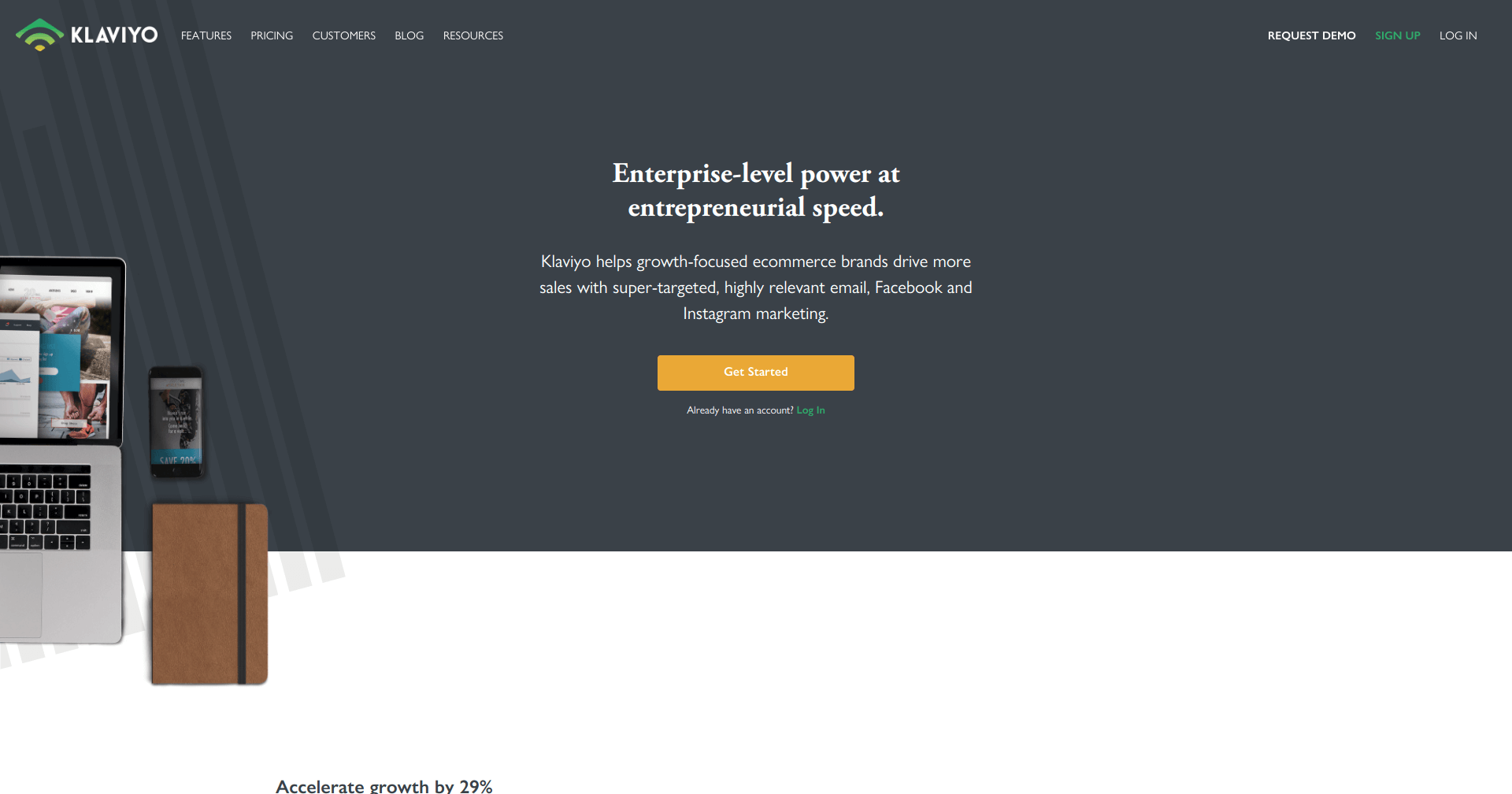
Klaviyo
This marketing platform allows eCommerce businesses to put their entire marketing on auto-pilot. It makes it easy to optimize and personalize emails, segment audiences, target customers based on behaviour.
Klaviyo integrates with such popular eCommerce platforms as Shopify, Magento, BigCommerce, 3dcart, WooCommerce and many other. What’s more, it has an open API for users to add custom eCommerce integrations.
Pricing depends on the number of contacts you are storing. The platform provides a free plan up to 250 contacts, but when the number of contacts increases, the costs rise ($25/month for up to 500 contacts, and so forth).
Hubspot
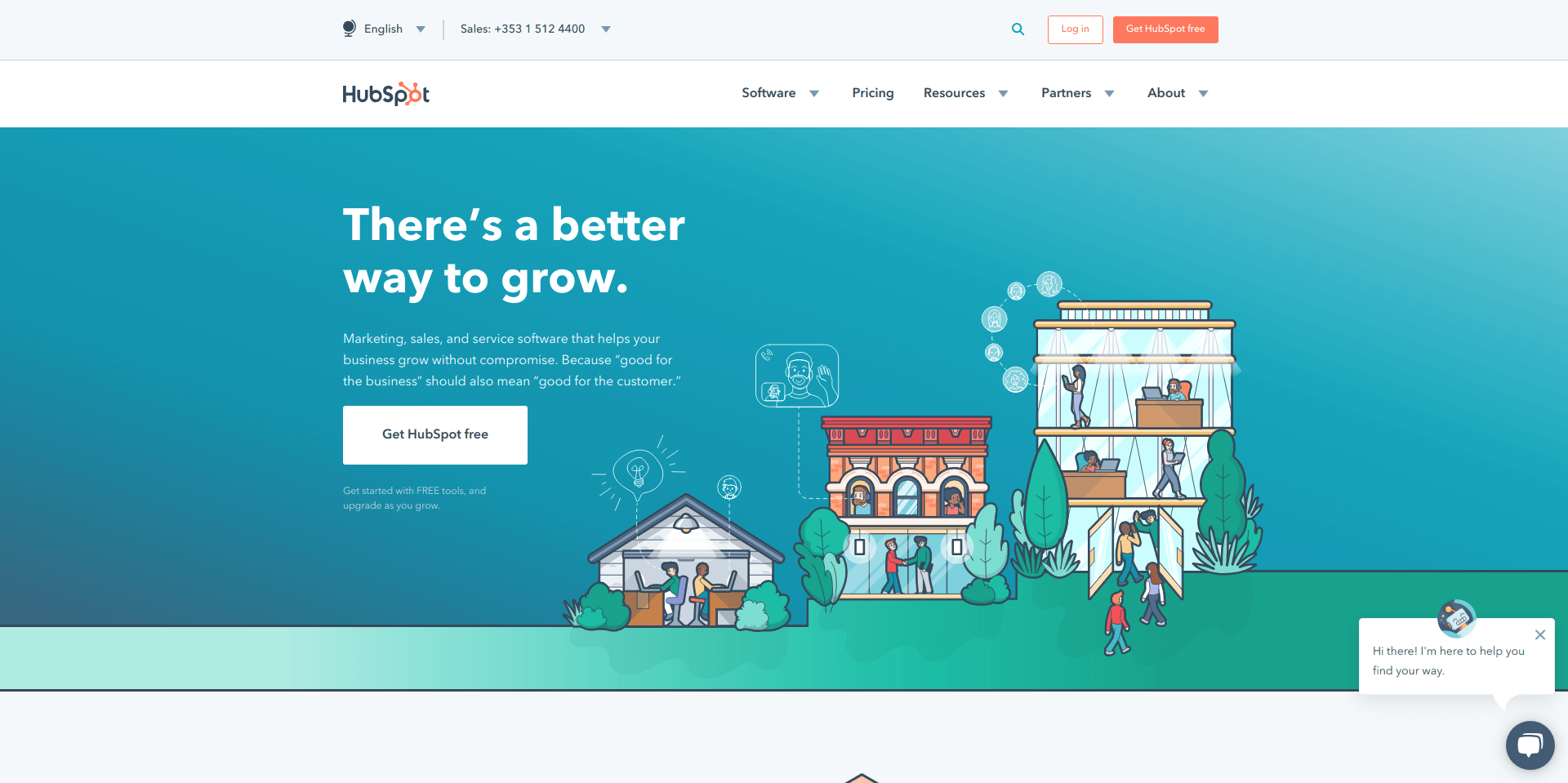
Hubspot is one of the popular marketing automation platforms and a major eCommerce player. The platform allows to use an inbound marketing approach to attract visitors, convert leads, and close customers. Moreover, it provides a possibility to track website performance, promote and optimize content, and more.
Hubspot integrates with multiple platforms including Shopify, WooCommerce, Magento, BigCommerce, and other.
The platform offers four pricing plans for different demands, starting from $50 per month for a starter plan and a free plan with limited functions.
Infusionsoft
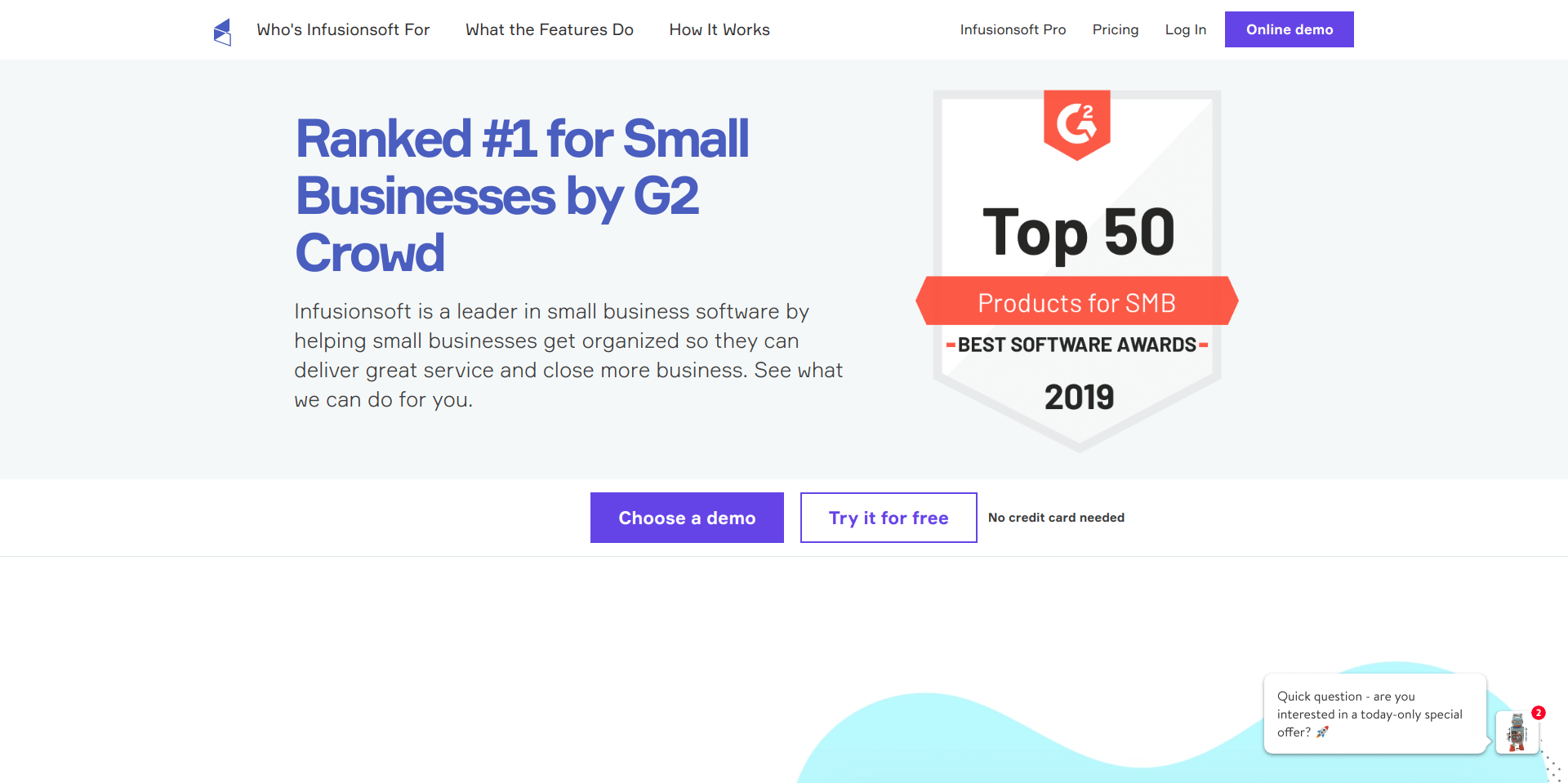
Comparing with Hubspot, this marketing platform is mainly used by small businesses. It helps to automate routine tasks, create and execute a sales and marketing strategy, collate all daily activities in one place, capture new leads and many other activities.
The key advantage of this tool is its integrations with all types of third-party programs including such platforms as Shopify, BigCommerce, Magento, WooCommerce and more.
The pricing starts at $99/month for businesses looking to better manage clients and streamline work. For those businesses with advanced sales & marketing needs Infusionsoft provides the price which starts at $199.
ActiveCampaign
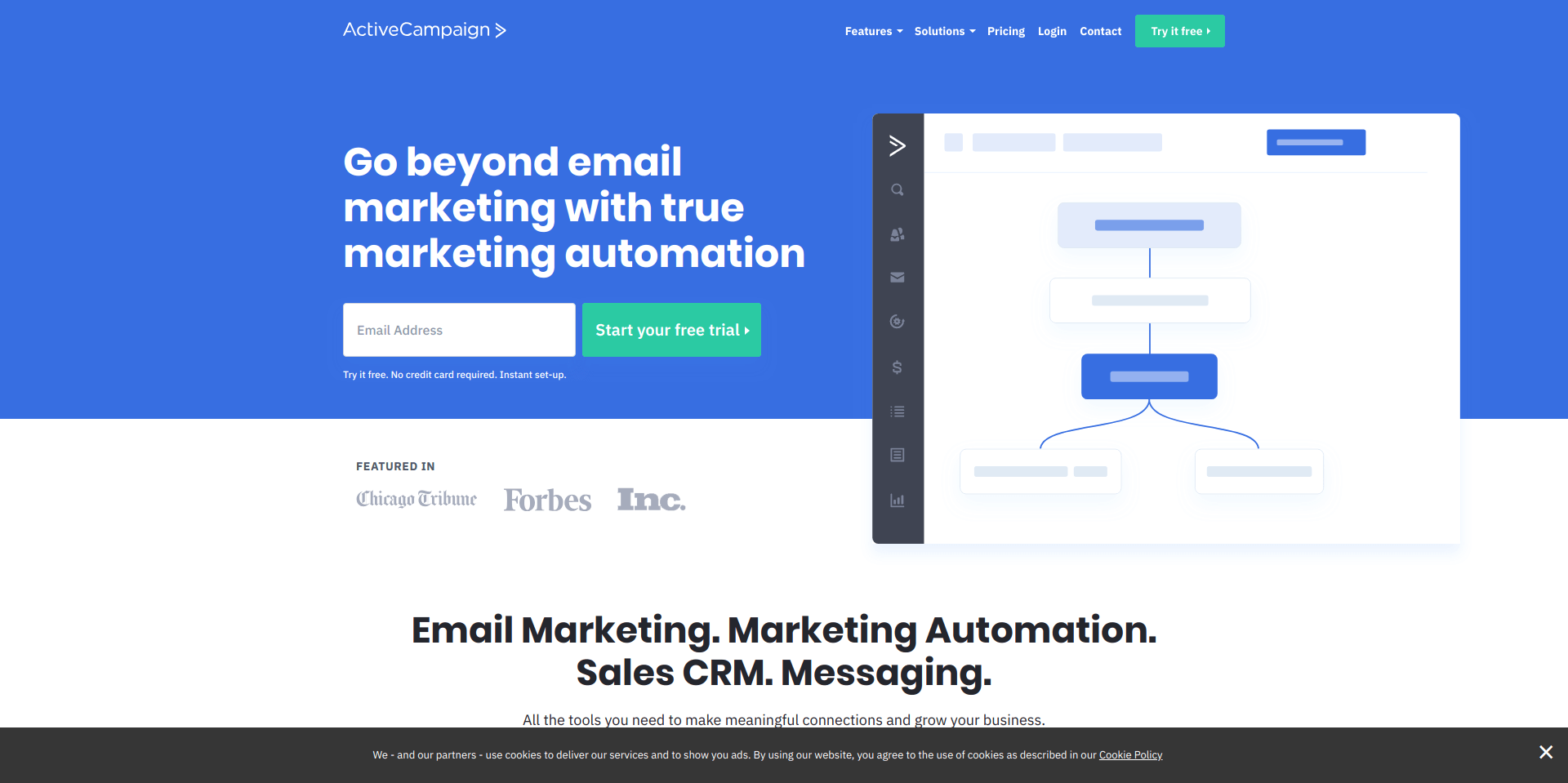
Primarily it was an email marketing platform, but over the years it has added marketing automation and CRM features. With ActiveCampaign it’s easy to build marketing automation campaigns with no prior experience or training. The main focus of this platform is on email campaigns and audience building.
The platform integrates with more than 150 apps and service including such eCommerce platforms as Shopify, WooCommerce, BigCommerce, etc.
The pricing depends on the contacts you have, with the starting price of $9 per 500 contacts.
Bluecore
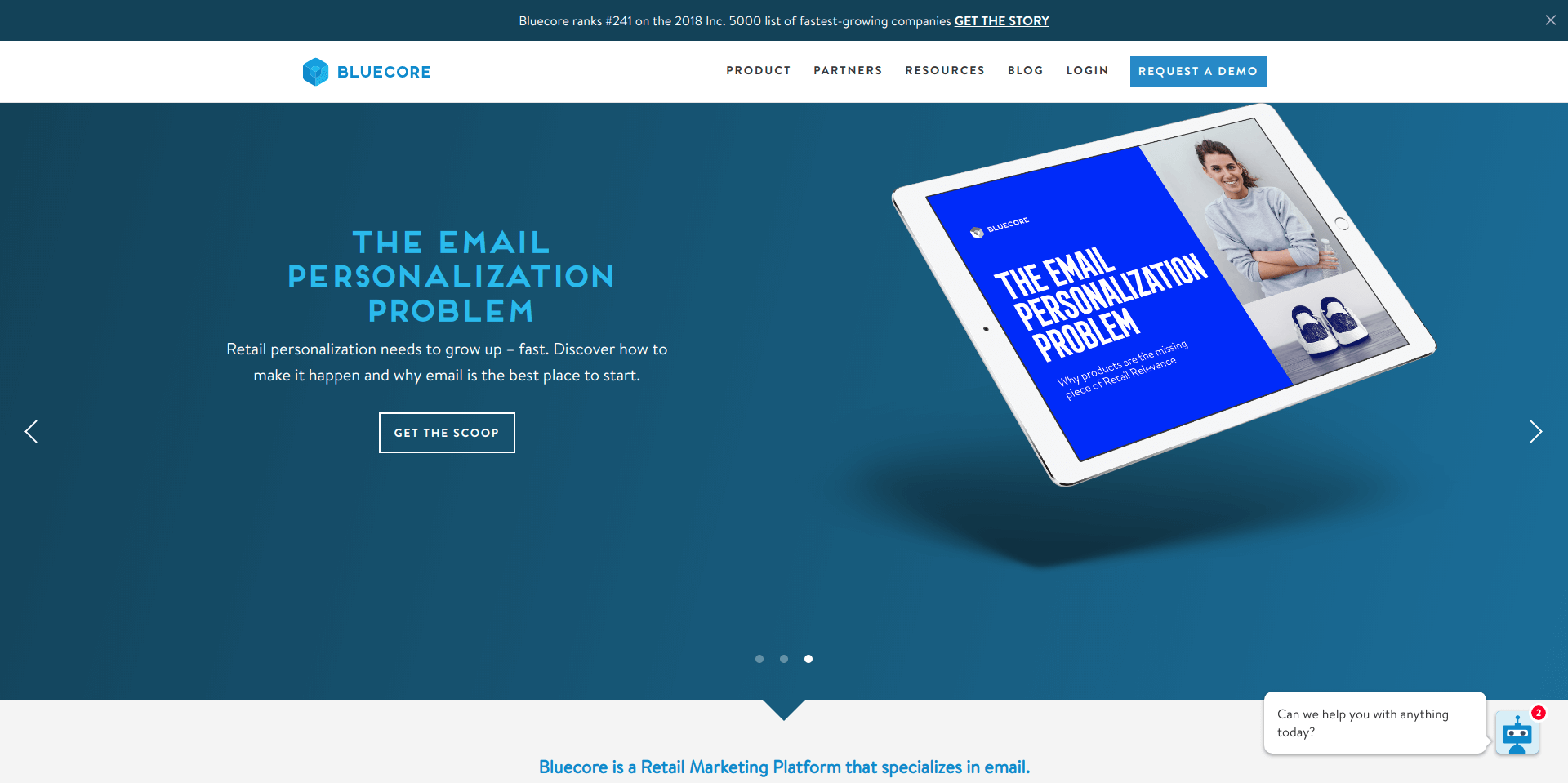
This data marketing platform is specialized mainly in emails. It allows business owners to create highly targeted emails, sync audiences or automatically trigger experiences across marketing channels.
Bluecore makes it easy to collect data from different sources. The platform integrates with such eCommerce platforms as Shopify, Magento, and many other.
The pricing is not provided on the website, however you can contact them to get a quote.
Marketo
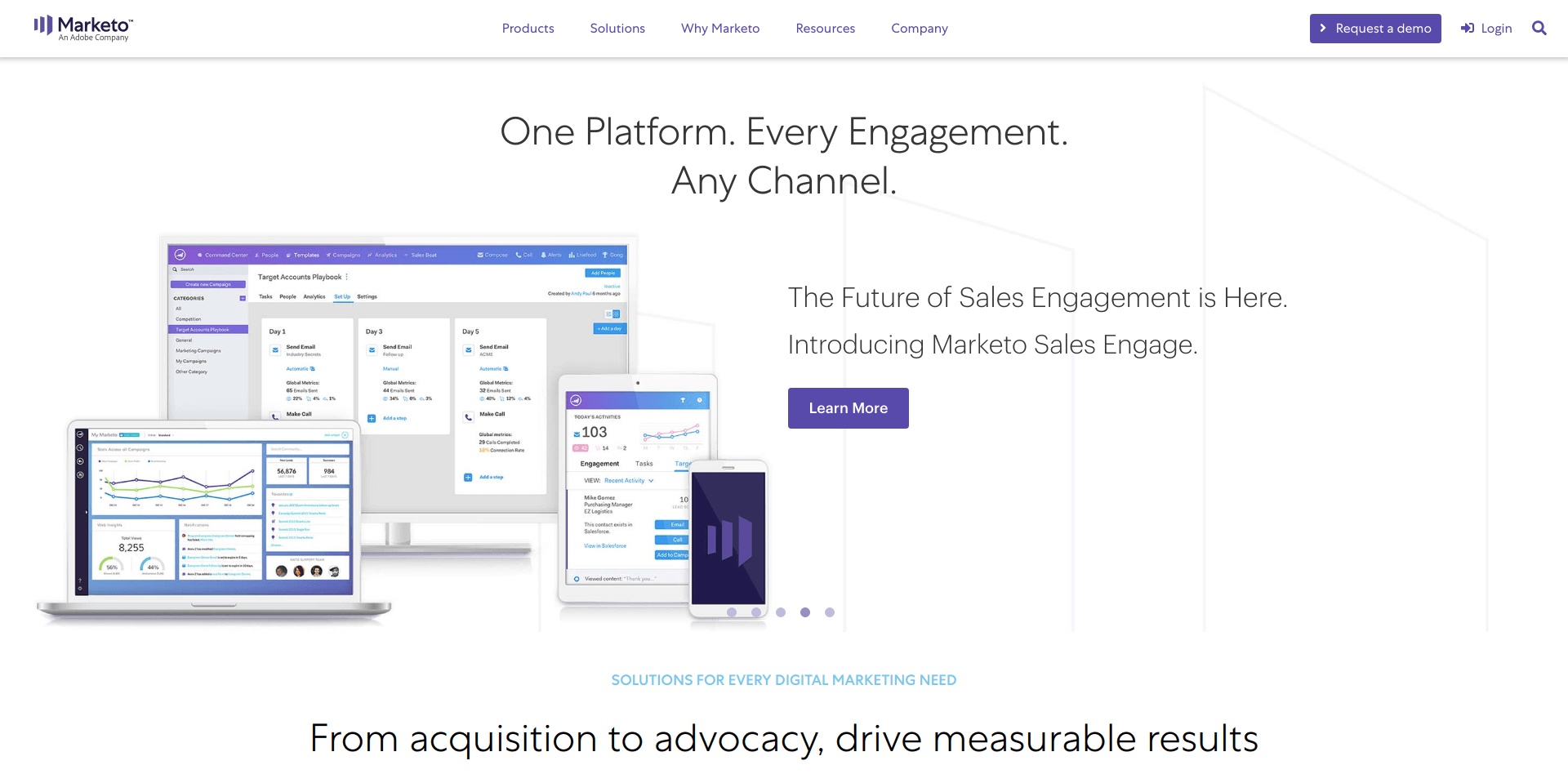
Marketo is a popular marketing automation system that simplifies and streamlines marketing tasks and boosts efficiencies. The platform helps B2B and B2C marketers to target qualified leads, generate more win-ready leads, create landing pages and emails with a drag and drop interface, and more.
The system integrates with Google, Facebook, Linkedin, Google Adwords and such eCommerce platforms as Shopify, Magento, WooCommerce, etc.
Marketo does not provide any pricing information. According to Marketing Automation Insider, the price in Marketo starts at $895 per 2500 contacts.
Kevy
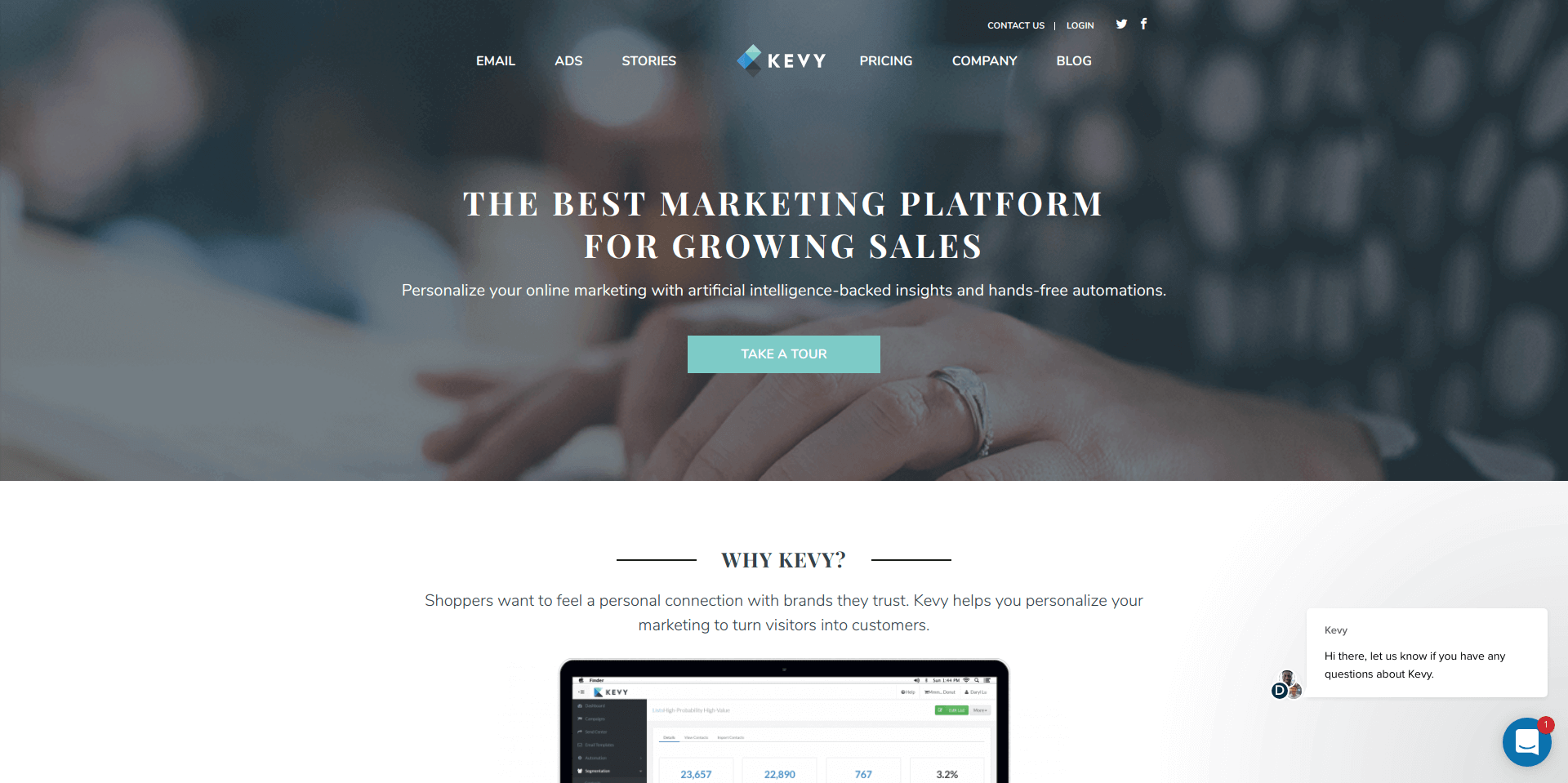
Kevy is a marketing automation platform build uniquely for eCommerce. It is designed to help customers increase revenue through cart recovery campaign capabilities, advanced segmentation capabilities, email design editor, and reporting.
The platform integrates with such eCommerce leading platforms as Shopify, BigCommerce, Magento, WooCommerce and Volusion.
Kevy pricing is based on contacts you have, the starting price for up to 8000 contacts is $250. The more contacts, the higher price you will pay.
Omnisend
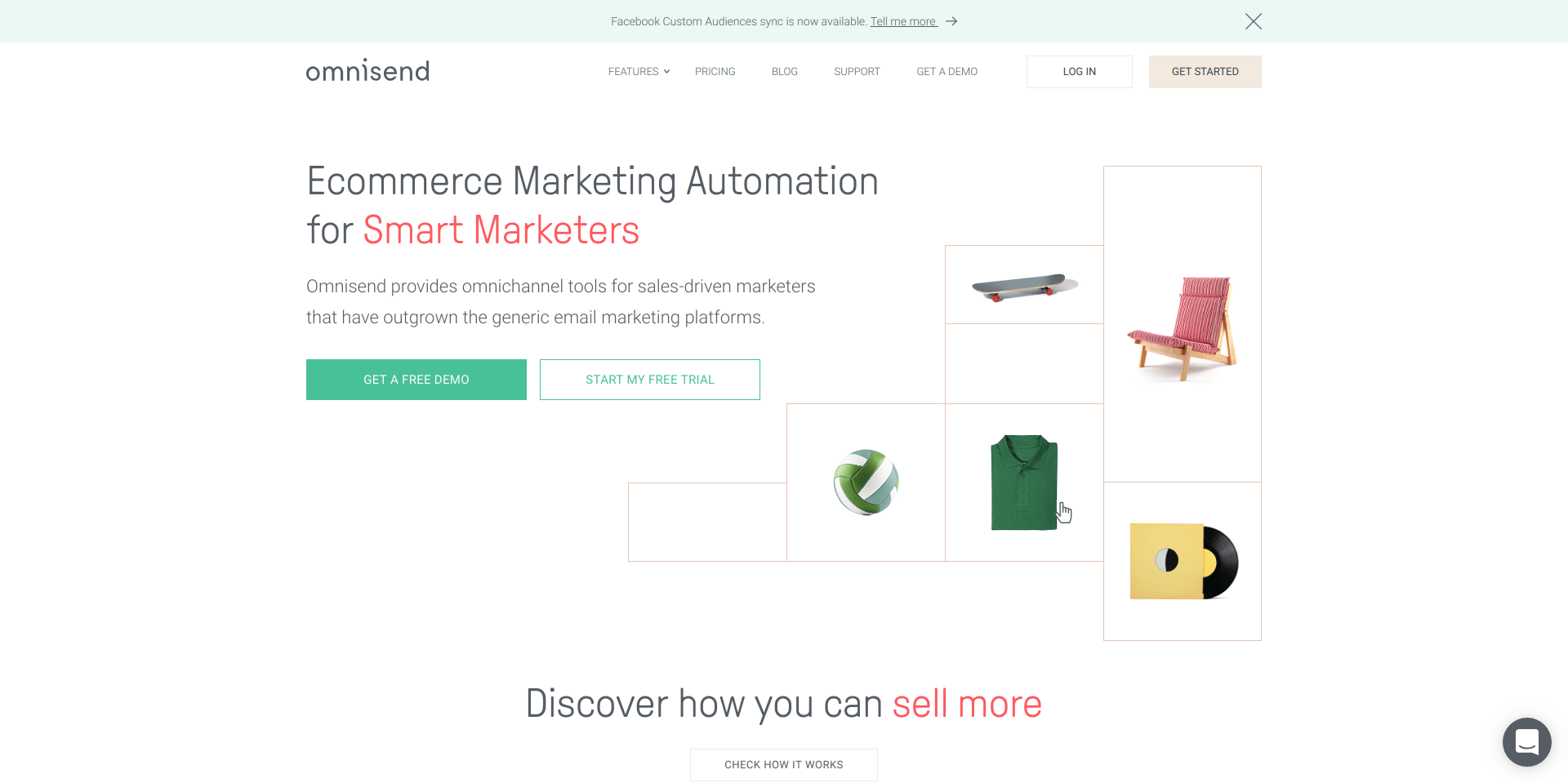
One more marketing automation platform that is worth considering is Omnisend. It is focused mainly on automation and segmentation. With these features, it’s easy to send customers automated and personalised emails based on a large number of triggers.
Omnisend is available for such eCommerce leading platforms as Shopify, WooCommerce, Opencart, Prestashop, BigCommerce and Magento.
User.com
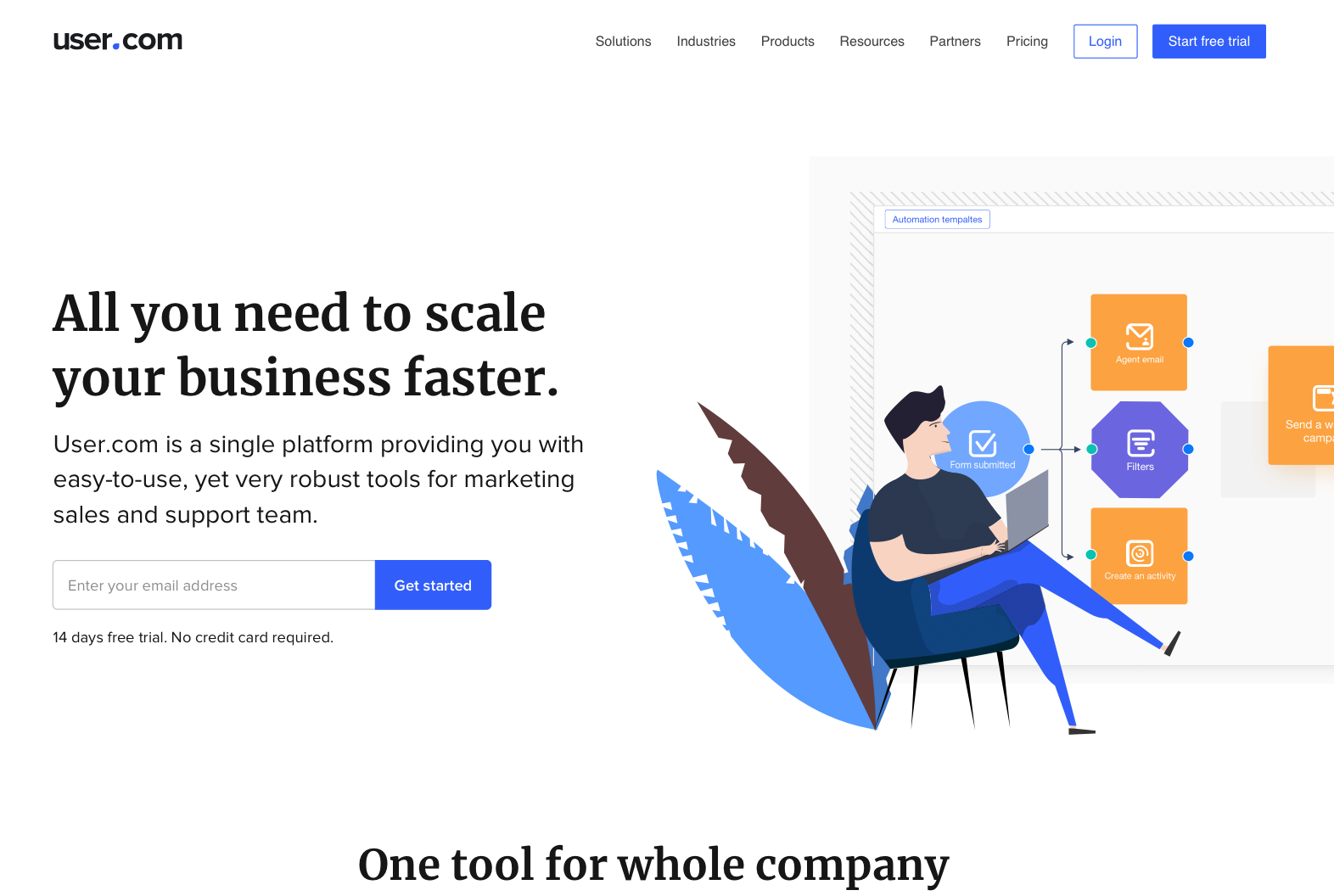
User.com is a full-stack marketing automation software for turning your visitors into happy customers. User.com allows you to gather information about your prospects, communicate with them via live chat, chatbots, gather contact information by using popups, send automated emails and SMS and much more.
The tool makes it easy to create automated paths where you can pinpoint the moments your leads receive messages. It will save your time and make sure your communication is consistent. Right now available in Freemium Starter Pack – 100% free, includes modules like: Chat, CRM, Knowledge Base and Calendar.
Hope this article has been helpful for you. What are some of your favorite marketing automation tools? Leave a comment below and let us know.
It’s time to get personal with your marketing strategy. Today’s digital marketing tactics are focused on customizing the client experience to make each interaction meaningful and valuable. There are simple, cost-effective and non-spammy ways to make your customer feel like one in a million, one of the easiest being personalized text messages.
Personalizing your text messages makes your customers feel good (if you do it right) because it helps you say something that’s actually helpful and targeted. Doing so could also help you see better business results from text marketing. Your campaigns should be as effective as possible, so why not try every possible marketing strategy to improve them? Here’s everything you need to know about sending personalized text messages and how to get started.
How to personalize your text messages
Personalizing your text messages is a simple tactic you can begin to do immediately. Here are the steps to get started.
Step 1: Gather the information to create your segments
You’ll first want to decide what criteria to segment your list by. Basic ways to segment are usually geographically, by gender or by age. Other more advanced strategies can include segments such as preference, date of purchase or actions taken (or not taken).
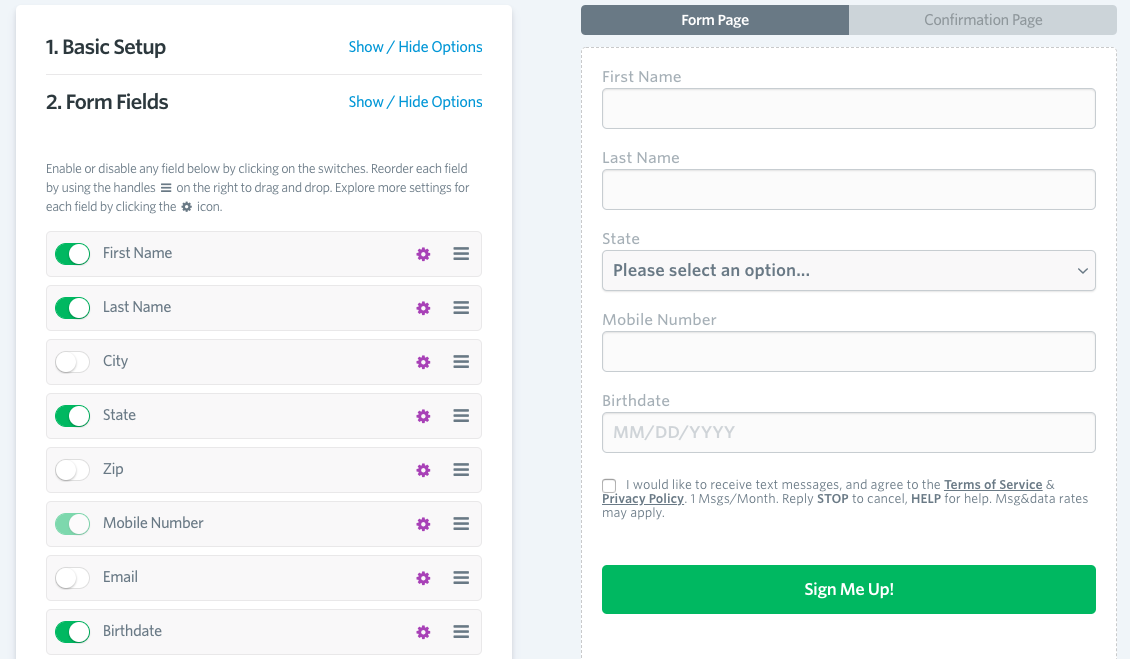
If you’re just getting started, you can include these segmenting questions in your auto-reply when people opt-in to your text list. Or, you can include them as questions in your web-based opt-in form. From the “marketing tools” menu, head to “create an opt-in web form” and then choose the fields that you want to appear in your form.
If you already have a list and want to start segmenting it now, one great way to do it is with a survey. You can do this from your SlickText dashboard and add your own custom fields to ask any questions you’d like.
Step 2: Message your individual segments
Now that you have your list organized by segment, it’s time to create campaigns that target each segment. When you’re ready to send messages to each specific campaign, that’s where merge tags come in.
Merge tags are a feature within SlickText that allow you to insert personal information directly into your messages. The merge tag is a placeholder that gets replaced with information specific to your contact when you hit send.
When you insert a merge tag into your content, this is how it will appear to you:
Hi %%first_name%%, we’re giving away one free appetizer with the purchase of any entree in %%city%% this weekend. Show this text before 2/10 when your order at any of our %%city%% locations.
When your subscriber receives the text, this is how it will appear:
Hi Jane, we’re giving away one free appetizer with the purchase of any entree in Michigan this weekend. Show this text before 2/10 when you order at any of our Michigan locations.
A list of merge tags you can use within SlickText is available on our Help Desk.
Step 3: Measure your ROI
After you’ve tried a text message marketing campaign with personalized text messages, it’s important to measure your results. Keep track of how many people are redeeming your offer or clicking any links within the message. That way you’ll know if you need to make adjustments to what you’re offering or how you’re personalizing your texts.
Mistakes to avoid
Even though personalizing your text messages could lead to increased customer satisfaction and brand loyalty, there are some ways you can get it wrong. Avoid these mistakes to keep customers happy:
Don’t get personal information wrong. In the same survey above, nearly 60% of respondents said getting key information about them wrong, particularly their gender, is very off putting and can give them a negative impression of your brand. Check your data before you send a personalized message, or else you risk it backfiring.
Don’t overdo it. No one wants to feel like they’re under surveillance from your brand.
Keep your information updated. Trying to personalized based on information from years ago might create an awkward situation. People move, their preferences change and they evolve. You don’t want to advertise mother’s day flowers to a client who once purchased from you but whose mom has since died. You don’t want to send restaurant specials to a client in Orlando when they’ve moved to Tampa. In order to stay relevant, you need to be regularly checking in with your customers so you can tweak your messages to their current realities.
Start personalizing your texts now
Personalizing your text messages can be a great way to grab the attention of your customers and build a meaningful relationship. Get started with some of the basic techniques and when you’ve built an expertise you can try adding more advanced personalization methods to your arsenal.







 Marketing Tech